> ## Documentation Index
> Fetch the complete documentation index at: https://cometchat-22654f5b-feature-react-native-sdk-quotedmessage-a.mintlify.site/llms.txt
> Use this file to discover all available pages before exploring further.
# CometChat UI Kit Builder For Flutter
The CometChat UI Kit Builder for Flutter helps you deliver a polished chat experience across iOS and Android with prebuilt, customizable UI. Configure features visually, export ready-to-use assets, and plug everything into your Flutter project with minimal boilerplate.
***
## Prerequisites
* Flutter SDK (stable channel) with Dart 3+
* macOS, Windows, or Linux with Flutter tooling (Android Studio, VS Code, or IntelliJ)
* For iOS builds: Xcode, CocoaPods, and an iOS 13+ simulator or device
* For Android builds: Android Studio and an Android 5.0 (API 21)+ emulator or device
* Internet connectivity for CometChat services
***
## Why Choose CometChat UI Kit Builder?
* Rapid integration: Export module-ready code and settings for Flutter.
* Cross-platform: One configuration powers iOS and Android builds.
* Customizable: Tune colors, typography, and feature toggles from the Builder.
* Scalable: Backed by CometChat’s reliable messaging infrastructure.
***
## Setup Options
Choose one of the following paths to integrate:
Copy the generated Builder module into your Flutter project and load settings from assets.
Import the sample module for a plug-and-play experience, then migrate features into your main app.
***
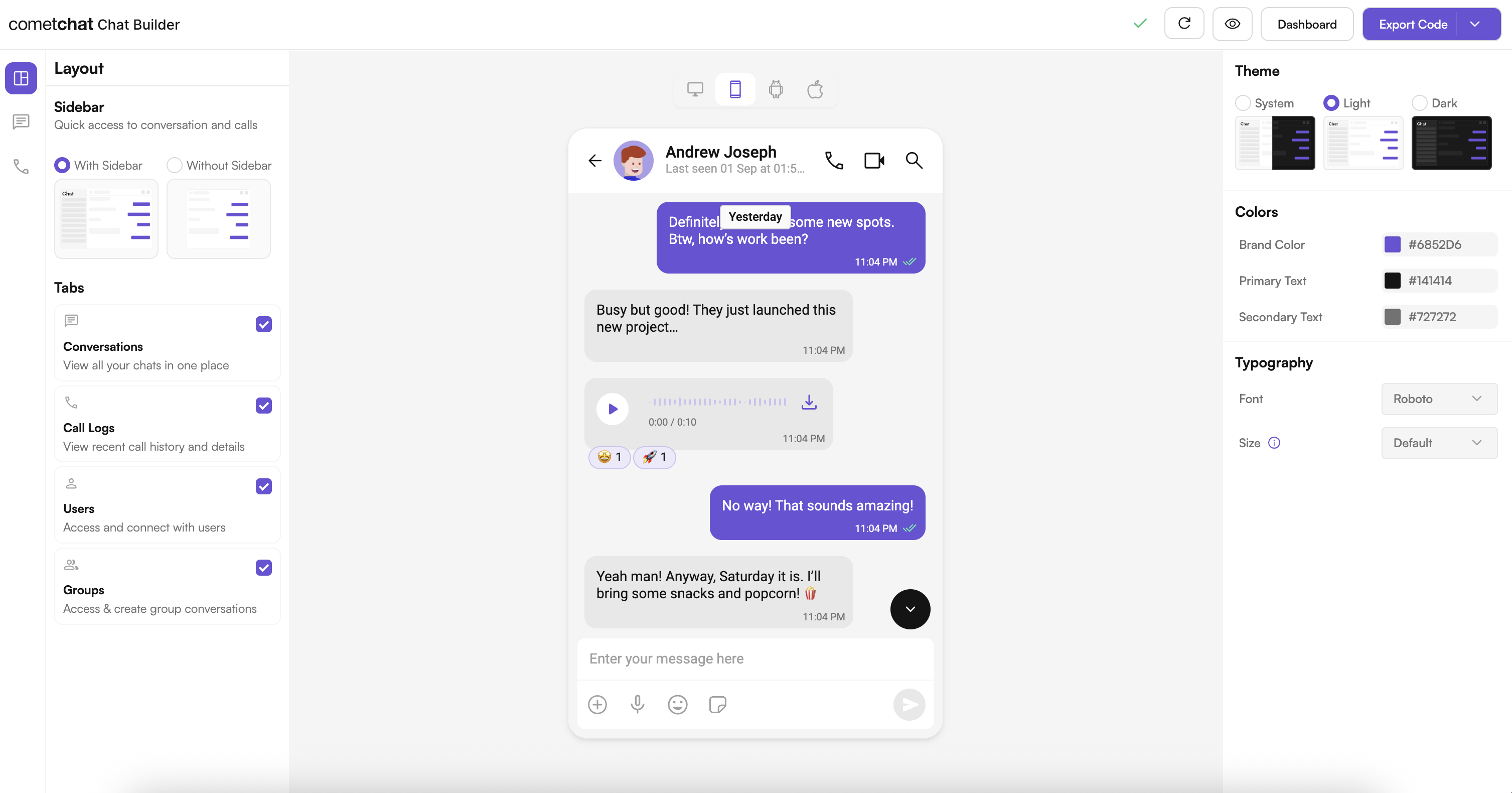
## User Interface Preview
 ***
## Try Live Demo
Experience the CometChat UI Kit Builder in action:
***
## Integration
A ready-to-use chat experience configured in the Builder and powered by our Flutter UI Kit.
**How It Works**
* Toggle features such as reactions, polls, message translation, calling, and more.
* Export code, assets, and configuration JSON for your Flutter project.
* Iterate quickly without rewriting UI or state management.
**Why It’s Great**
* Minimal setup with reusable modules.
* Visual configuration keeps design and engineering aligned.
* Includes sensible defaults for typography, colors, and layout.
***
## Next Steps for Developers
1. Learn the basics — Key Concepts: [Key Concepts](/fundamentals/key-concepts)
2. Follow the setup guide — Chat UI Kit Builder (Flutter): [Integration](/chat-builder/flutter/integration)
3. Customize UI — Theme and components: [Theme introduction](/ui-kit/flutter/theme-introduction), [Components overview](/ui-kit/flutter/components-overview)
4. Test & ship — Run on device/emulator and deploy.
***
## Helpful Resources
Explore these resources to go deeper with CometChat on Flutter.
Try the fully featured Flutter sample for reference implementations.
Explore the complete Flutter UI Kit source code.
Configure features, manage users, and launch the UI Kit Builder.
***
## Need Help?
* Developer Community: [http://community.cometchat.com/](http://community.cometchat.com/)
* Support Portal: [https://help.cometchat.com/hc/en-us/requests/new](https://help.cometchat.com/hc/en-us/requests/new)
***
## Try Live Demo
Experience the CometChat UI Kit Builder in action:
***
## Integration
A ready-to-use chat experience configured in the Builder and powered by our Flutter UI Kit.
**How It Works**
* Toggle features such as reactions, polls, message translation, calling, and more.
* Export code, assets, and configuration JSON for your Flutter project.
* Iterate quickly without rewriting UI or state management.
**Why It’s Great**
* Minimal setup with reusable modules.
* Visual configuration keeps design and engineering aligned.
* Includes sensible defaults for typography, colors, and layout.
***
## Next Steps for Developers
1. Learn the basics — Key Concepts: [Key Concepts](/fundamentals/key-concepts)
2. Follow the setup guide — Chat UI Kit Builder (Flutter): [Integration](/chat-builder/flutter/integration)
3. Customize UI — Theme and components: [Theme introduction](/ui-kit/flutter/theme-introduction), [Components overview](/ui-kit/flutter/components-overview)
4. Test & ship — Run on device/emulator and deploy.
***
## Helpful Resources
Explore these resources to go deeper with CometChat on Flutter.
Try the fully featured Flutter sample for reference implementations.
Explore the complete Flutter UI Kit source code.
Configure features, manage users, and launch the UI Kit Builder.
***
## Need Help?
* Developer Community: [http://community.cometchat.com/](http://community.cometchat.com/)
* Support Portal: [https://help.cometchat.com/hc/en-us/requests/new](https://help.cometchat.com/hc/en-us/requests/new)