> ## Documentation Index
> Fetch the complete documentation index at: https://cometchat-22654f5b-feature-react-native-sdk-quotedmessage-a.mintlify.site/llms.txt
> Use this file to discover all available pages before exploring further.
# CometChat Builder For iOS
The CometChat Builder for iOS helps you deliver a complete chat experience quickly with prebuilt, customizable native UI. Configure features visually, export platform‑ready settings, and integrate them into your iOS app.
***
## Prerequisites
* Xcode (latest recommended)
* iOS 14+ target (or your project’s minimum supported iOS)
* Swift 5.7+ (or compatible Swift toolchain)
* CocoaPods or Swift Package Manager
* Internet connectivity (for CometChat services)
***
## Why Choose CometChat Builder?
* Rapid integration: Prebuilt native UI and generated settings.
* Customizable: Theme, typography, and features via configuration.
* Scalable: Backed by CometChat’s reliable chat infrastructure.
* Native UX: Components built for iOS.
***
## Setup Options
Choose one of the following paths to integrate:
* **Load settings via Builder (recommended)**: Use the CometChatBuilder package and load settings via JSON or live QR sync.
See: [Install the Builder package](/chat-builder/ios/integration#integration-with-cometchat-chat-builder-ios),
Configure settings quickly by importing a JSON file, no coding required.
Sync settings directly from the Builder using a live QR code.
* **Start from the iOS Sample App**: Use the UI Kit sample to explore structure and patterns, then add the Builder package.
See: [iOS Sample App](https://github.com/cometchat/cometchat-uikit-ios/tree/v5/SampleApp)
***
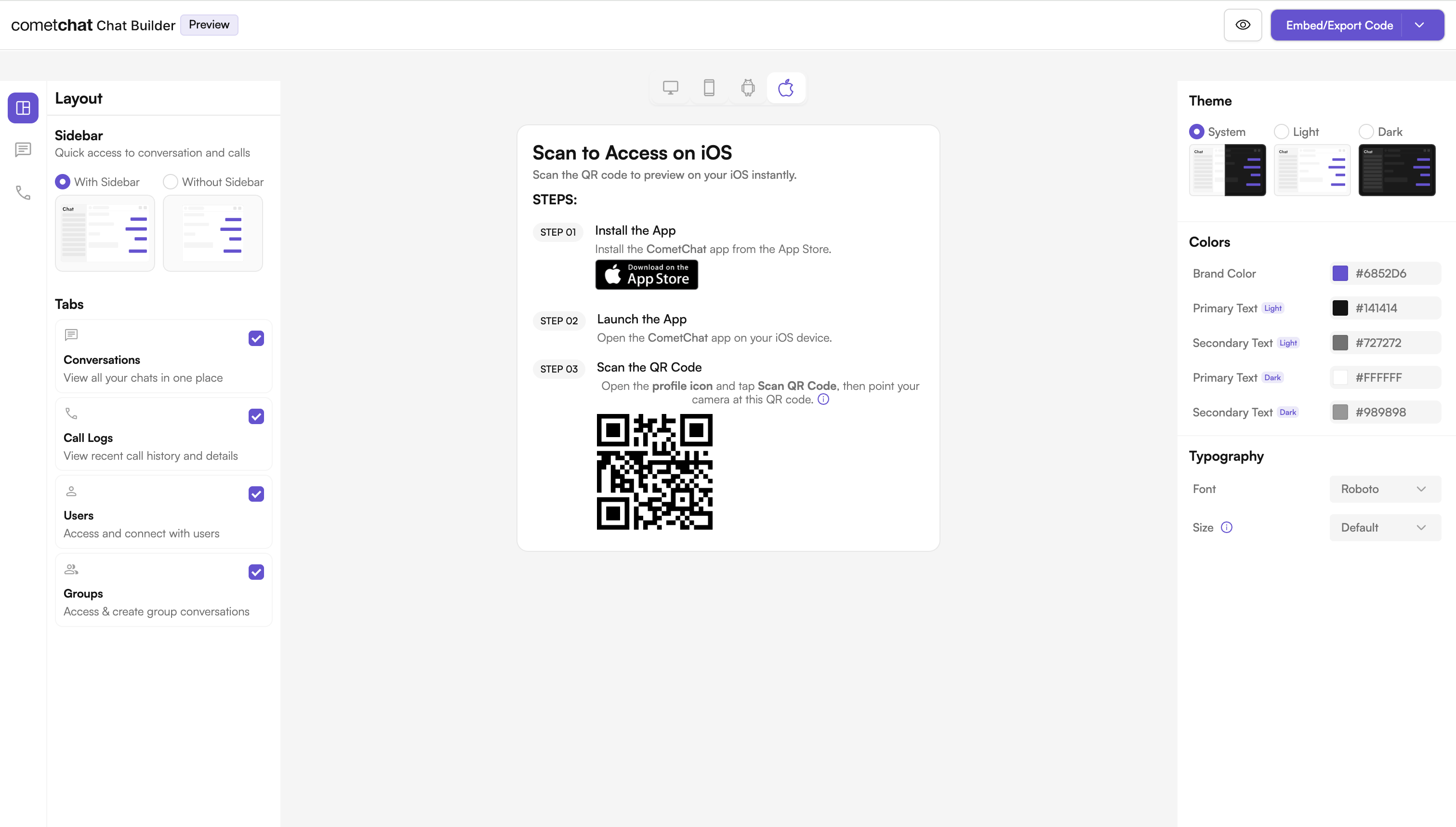
## User Interface Preview
 ***
## Try Live Demo
Experience the CometChat Builder in action:
***
## Integration
Ship a ready‑to‑use chat experience configured in the Builder and powered by our iOS UI Kit.
**How It Works**
* Toggle features like mentions, reactions, media uploads, polls, and more.
* Export settings/styles and wire them into your iOS app.
* Iterate quickly without large refactors.
**Why It’s Great**
* Fastest setup with minimal wiring.
* Visual configuration for continuous customization.
* Reliable, pre‑assembled UI.
***
## Next Steps for Developers
1. Learn the basics — Key Concepts: [Key Concepts](/fundamentals/key-concepts)
2. Follow the setup guide — UI Kit Builder (iOS): [UI Kit Builder (iOS)](/chat-builder/ios/integration)
3. Customize UI — Theme and components: [Theme introduction](/ui-kit/ios/theme-introduction), [Components overview](/ui-kit/ios/overview)
4. Test & ship — Run on device/simulator and deploy.
***
## Helpful Resources
Experience the power of CometChat UI Kit with this interactive app.
Explore the complete iOS UI Kit source code.
View on GitHub
UI design resources for customization and prototyping.
View on Figma
***
## Need Help?
* Developer Community: [http://community.cometchat.com/](http://community.cometchat.com/)
* Support Portal: [https://help.cometchat.com/hc/en-us/requests/new](https://help.cometchat.com/hc/en-us/requests/new)
***
## Try Live Demo
Experience the CometChat Builder in action:
***
## Integration
Ship a ready‑to‑use chat experience configured in the Builder and powered by our iOS UI Kit.
**How It Works**
* Toggle features like mentions, reactions, media uploads, polls, and more.
* Export settings/styles and wire them into your iOS app.
* Iterate quickly without large refactors.
**Why It’s Great**
* Fastest setup with minimal wiring.
* Visual configuration for continuous customization.
* Reliable, pre‑assembled UI.
***
## Next Steps for Developers
1. Learn the basics — Key Concepts: [Key Concepts](/fundamentals/key-concepts)
2. Follow the setup guide — UI Kit Builder (iOS): [UI Kit Builder (iOS)](/chat-builder/ios/integration)
3. Customize UI — Theme and components: [Theme introduction](/ui-kit/ios/theme-introduction), [Components overview](/ui-kit/ios/overview)
4. Test & ship — Run on device/simulator and deploy.
***
## Helpful Resources
Experience the power of CometChat UI Kit with this interactive app.
Explore the complete iOS UI Kit source code.
View on GitHub
UI design resources for customization and prototyping.
View on Figma
***
## Need Help?
* Developer Community: [http://community.cometchat.com/](http://community.cometchat.com/)
* Support Portal: [https://help.cometchat.com/hc/en-us/requests/new](https://help.cometchat.com/hc/en-us/requests/new)