> ## Documentation Index
> Fetch the complete documentation index at: https://cometchat-22654f5b-feature-react-native-sdk-quotedmessage-a.mintlify.site/llms.txt
> Use this file to discover all available pages before exploring further.
# CometChat UI Kit For Flutter
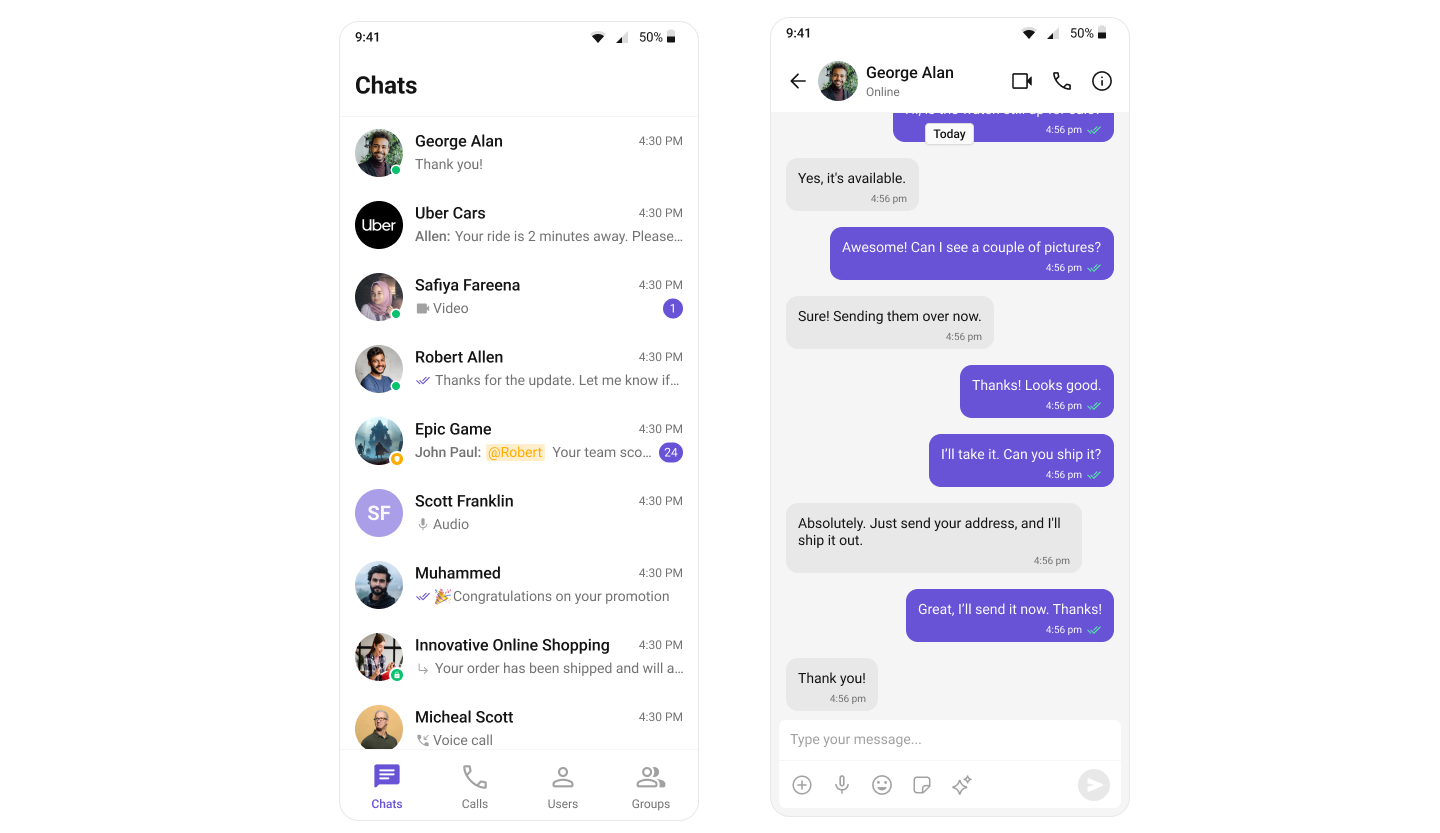
The **CometChat UI Kit** for Flutter is a powerful solution designed to seamlessly integrate chat functionality into applications. It provides a robust set of **prebuilt UI widgets** that are **modular, customizable, and highly scalable**, allowing developers to accelerate their development process with minimal effort.
***
## **Why Choose CometChat UI Kit?**
* **Rapid Integration** – Prebuilt UI widgets for faster deployment.
* **Customizable & Flexible** – Modify the UI to align with your brand's identity.
* **Cross-Platform Compatibility** – Works seamlessly across iOS and Android platforms.
* **Scalable & Reliable** – Built on CometChat's **robust chat infrastructure** for enterprise-grade performance.
***
## **User Interface Preview**
***
## **Integration**
### **UI Components (Assemble It Yourself)**
A collection of individual widgets—like conversation lists, message lists, message composer, etc.—each with built-in chat logic so you can customize every element.
**How It Works**
* Import the widgets you need from our UI Kits.
* Arrange them in your desired layout, applying styling or customization as needed.
* You don't need to rewrite the SDK calls yourself—each widget already integrates with CometChat logic.
**Why It's Great**
* **Flexible Design** – You control the final UI arrangement.
* **No Extra Overhead** – Implement only the features you need.
* **Modular** – Use exactly what you want, when you want.
[**Go to Flutter UI Docs**](/ui-kit/flutter/getting-started)
***
## **Before Getting Started**
Before you begin, it's essential to grasp the fundamental concepts and features offered by CometChat's APIs, SDK, and UI Kit. You can find detailed information in the [Key Concepts](/fundamentals/key-concepts) documentation.
You can start building a modern messaging experience in your app by installing the new UI Kit. This developer kit is an add-on feature to CometChat Flutter SDK so installing it will also install the core Chat SDK.
To begin, please follow the [Getting Started](/ui-kit/flutter/getting-started) guide.
***
## **Next Steps for Developers**
1. **Learn the Basics** – [Key Concepts](/fundamentals/key-concepts).
2. **Follow the Setup Guide** – [Flutter Integration Guide](/ui-kit/flutter/getting-started)
3. **Customize UI** – Adjust styles, themes, and widgets.
4. **Test & Deploy** – Run tests and launch your chat app.
***
## **Helpful Resources**
Explore these essential resources to gain a deeper understanding of **CometChat UI Kits** and streamline your integration process.
Fully functional sample applications to accelerate your development.
[View on GitHub](https://github.com/cometchat/cometchat-uikit-flutter/tree/v5/sample_app)
Access the complete UI Kit source code on GitHub.
[View on GitHub](https://github.com/cometchat/cometchat-uikit-flutter/tree/v5/chat_uikit)
***
## **💡 Need Help?**
If you need assistance, check out:
* 💬 [Developer Community](http://community.cometchat.com/)
* ❓ [Support Portal](https://help.cometchat.com/hc/en-us/requests/new)
 ***
## **Integration**
### **UI Components (Assemble It Yourself)**
A collection of individual widgets—like conversation lists, message lists, message composer, etc.—each with built-in chat logic so you can customize every element.
**How It Works**
* Import the widgets you need from our UI Kits.
* Arrange them in your desired layout, applying styling or customization as needed.
* You don't need to rewrite the SDK calls yourself—each widget already integrates with CometChat logic.
**Why It's Great**
* **Flexible Design** – You control the final UI arrangement.
* **No Extra Overhead** – Implement only the features you need.
* **Modular** – Use exactly what you want, when you want.
[**Go to Flutter UI Docs**](/ui-kit/flutter/getting-started)
***
## **Before Getting Started**
Before you begin, it's essential to grasp the fundamental concepts and features offered by CometChat's APIs, SDK, and UI Kit. You can find detailed information in the [Key Concepts](/fundamentals/key-concepts) documentation.
You can start building a modern messaging experience in your app by installing the new UI Kit. This developer kit is an add-on feature to CometChat Flutter SDK so installing it will also install the core Chat SDK.
To begin, please follow the [Getting Started](/ui-kit/flutter/getting-started) guide.
***
## **Next Steps for Developers**
1. **Learn the Basics** – [Key Concepts](/fundamentals/key-concepts).
2. **Follow the Setup Guide** – [Flutter Integration Guide](/ui-kit/flutter/getting-started)
3. **Customize UI** – Adjust styles, themes, and widgets.
4. **Test & Deploy** – Run tests and launch your chat app.
***
## **Helpful Resources**
Explore these essential resources to gain a deeper understanding of **CometChat UI Kits** and streamline your integration process.
***
## **Integration**
### **UI Components (Assemble It Yourself)**
A collection of individual widgets—like conversation lists, message lists, message composer, etc.—each with built-in chat logic so you can customize every element.
**How It Works**
* Import the widgets you need from our UI Kits.
* Arrange them in your desired layout, applying styling or customization as needed.
* You don't need to rewrite the SDK calls yourself—each widget already integrates with CometChat logic.
**Why It's Great**
* **Flexible Design** – You control the final UI arrangement.
* **No Extra Overhead** – Implement only the features you need.
* **Modular** – Use exactly what you want, when you want.
[**Go to Flutter UI Docs**](/ui-kit/flutter/getting-started)
***
## **Before Getting Started**
Before you begin, it's essential to grasp the fundamental concepts and features offered by CometChat's APIs, SDK, and UI Kit. You can find detailed information in the [Key Concepts](/fundamentals/key-concepts) documentation.
You can start building a modern messaging experience in your app by installing the new UI Kit. This developer kit is an add-on feature to CometChat Flutter SDK so installing it will also install the core Chat SDK.
To begin, please follow the [Getting Started](/ui-kit/flutter/getting-started) guide.
***
## **Next Steps for Developers**
1. **Learn the Basics** – [Key Concepts](/fundamentals/key-concepts).
2. **Follow the Setup Guide** – [Flutter Integration Guide](/ui-kit/flutter/getting-started)
3. **Customize UI** – Adjust styles, themes, and widgets.
4. **Test & Deploy** – Run tests and launch your chat app.
***
## **Helpful Resources**
Explore these essential resources to gain a deeper understanding of **CometChat UI Kits** and streamline your integration process.