> ## Documentation Index
> Fetch the complete documentation index at: https://cometchat-22654f5b-feature-react-native-sdk-quotedmessage-a.mintlify.site/llms.txt
> Use this file to discover all available pages before exploring further.
# Overview
The Widget simplifies the process of integrating a chat functionality on your website. As a developer, you only need to toggle the widget's settings from our Dashboard and customize it to fit your needs. Within a few minutes, you can get started with our widget.
The Chat Widget is available for the following platforms:
1. HTML / Bootstrap / jQuery
2. WordPress
## Prerequisite
1. [Login](https://app.cometchat.com/login) to CometChat Dashboard and select your app.
2. Click on the **Chats tab**, then select **Widgets** from the left navigation pane.
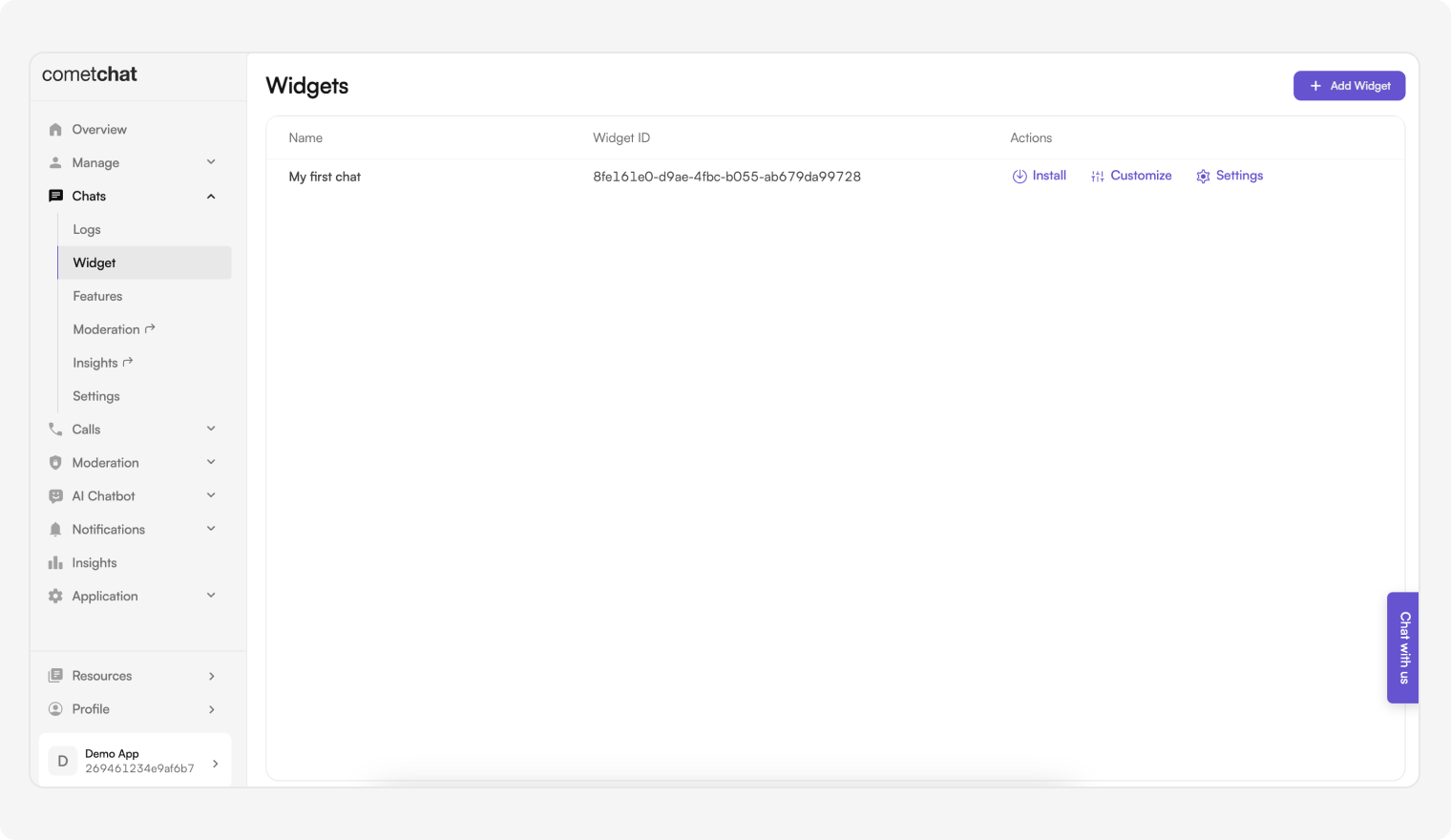 3. You can create new widgets as well as see a list of existing ones here.
## Features of Widget
| Features | Description |
| --------- | ----------------------------------------------------------------------------------------------- |
| Install | This provides the required details about a widget so that it can be integrated in your website. |
| Customize | Change the widget's name, docked layout icons and colors, custom JS and CSS. |
| Settings | Configure what shows up in the sidebar as well as in the chat component. |
3. You can create new widgets as well as see a list of existing ones here.
## Features of Widget
| Features | Description |
| --------- | ----------------------------------------------------------------------------------------------- |
| Install | This provides the required details about a widget so that it can be integrated in your website. |
| Customize | Change the widget's name, docked layout icons and colors, custom JS and CSS. |
| Settings | Configure what shows up in the sidebar as well as in the chat component. |