

Overview
TheAI Assistant Chat History component is a pre-built user interface component designed to display the conversation history between users and an AI assistant within a chat application. It provides a structured and visually appealing way to present past interactions, making it easy for users to review previous messages and context.
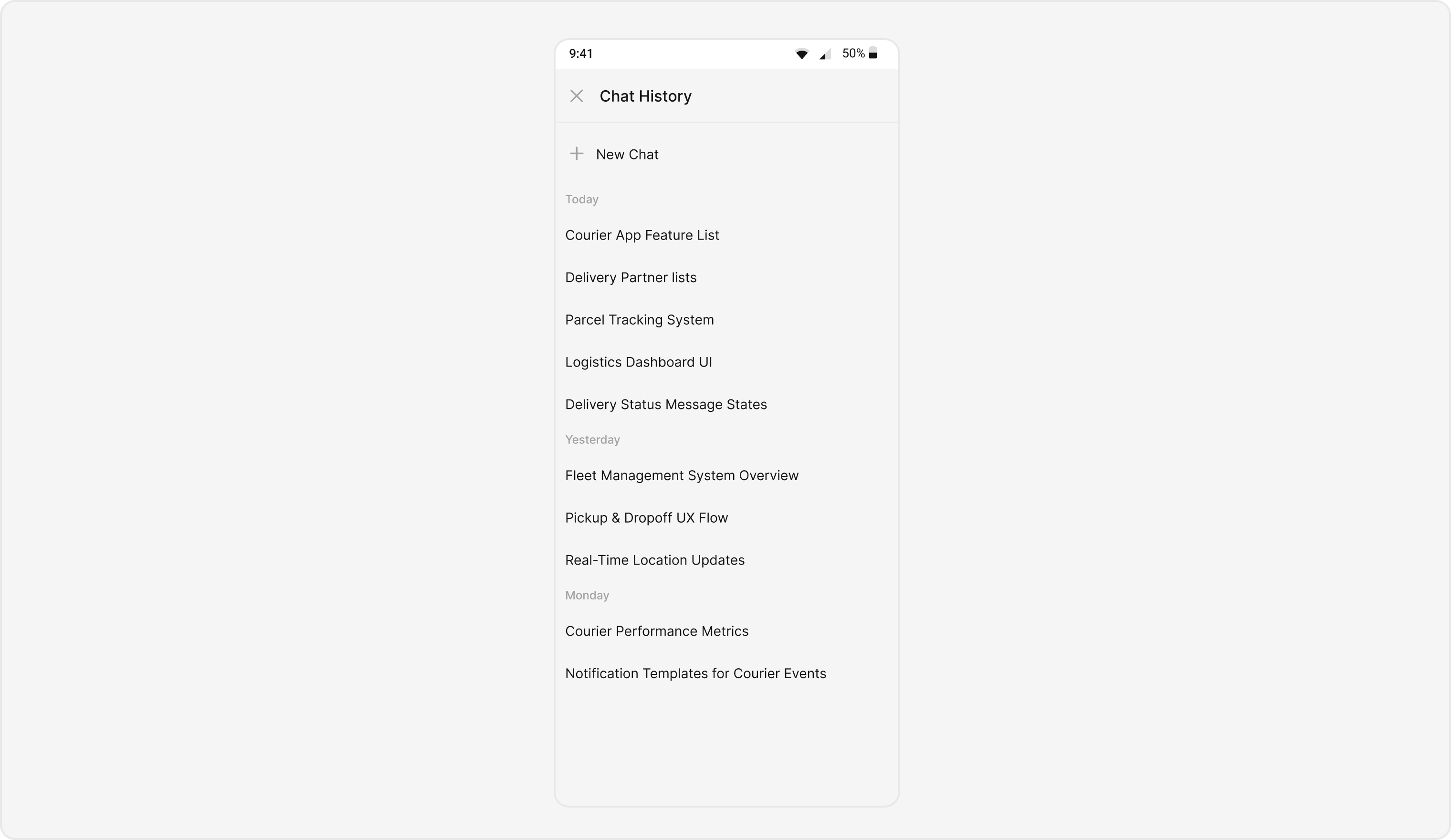
Usage
Integration
Using Navigation Controller to Present CometChatAIAssistantChatHistory
The CometChatAIAssistanceChatHistory component can be launched using a navigation controller.
This approach is ideal when you want to present the chat history as a standalone screen within your app’s navigation flow
- swift
Actions
Actions define how a component behaves and responds to user interactions.onNewChatButtonClicked
onNewChatButtonClicked The onNewChatButtonClicked action is triggered when the user taps on the “New Chat” button.You can override it to define custom functionality, such as navigating to a new chat creation screen or initiating a new AI chat session.
- swift
onMessageClicked
You can customize this behavior by using the provided code snippet to override the onMessageClicked callback. This allows you to define custom actions when a user taps on a message inside the AI Assistant Chat History component.- swift
onError
You can customize this behavior by overriding theonError callback to improve error handling within the component.This is useful for displaying custom error messages or performing recovery actions when data fetching fails.
- swift
onLoad
TheonLoad callback is invoked when the message list is successfully fetched and loaded.
This can be used to track component readiness or perform actions once messages are displayed.
- swift
onEmpty
TheonEmpty callback is triggered when no messages are available.
You can use this to show placeholder content, such as an empty state message or an illustration.
- swift
Filters
You can customize the message list displayed in theCometChatAIAssistanceChatHistory component by modifying the MessagesRequestBuilder.
This allows you to filter messages according to your app’s needs — for example, fetching messages that match a search term or belong to a specific user or group.
In the example below, we are applying a filter to the messages based on a search substring and for a specific user. This means that only messages that contain the search term and are associated with the specified user will be displayed
- swift
The following parameters in
messagesRequestBuilder will always be modified internally by the component:uidguidtypescategories
Events
Events are emitted by aComponent.
By using events, you can extend existing functionality. Since events are global in nature, they can be added or removed from multiple locations within the app.
The CometChatAIAssistanceChatHistory component does not emit any events of its own.
Customization
To meet your app’s design and UX requirements, you can customize the appearance and functionality of theCometChatAIAssistanceChatHistory component.
We provide multiple exposed properties and methods that allow you to modify both the visual style and interactive behavior according to your needs.
Style
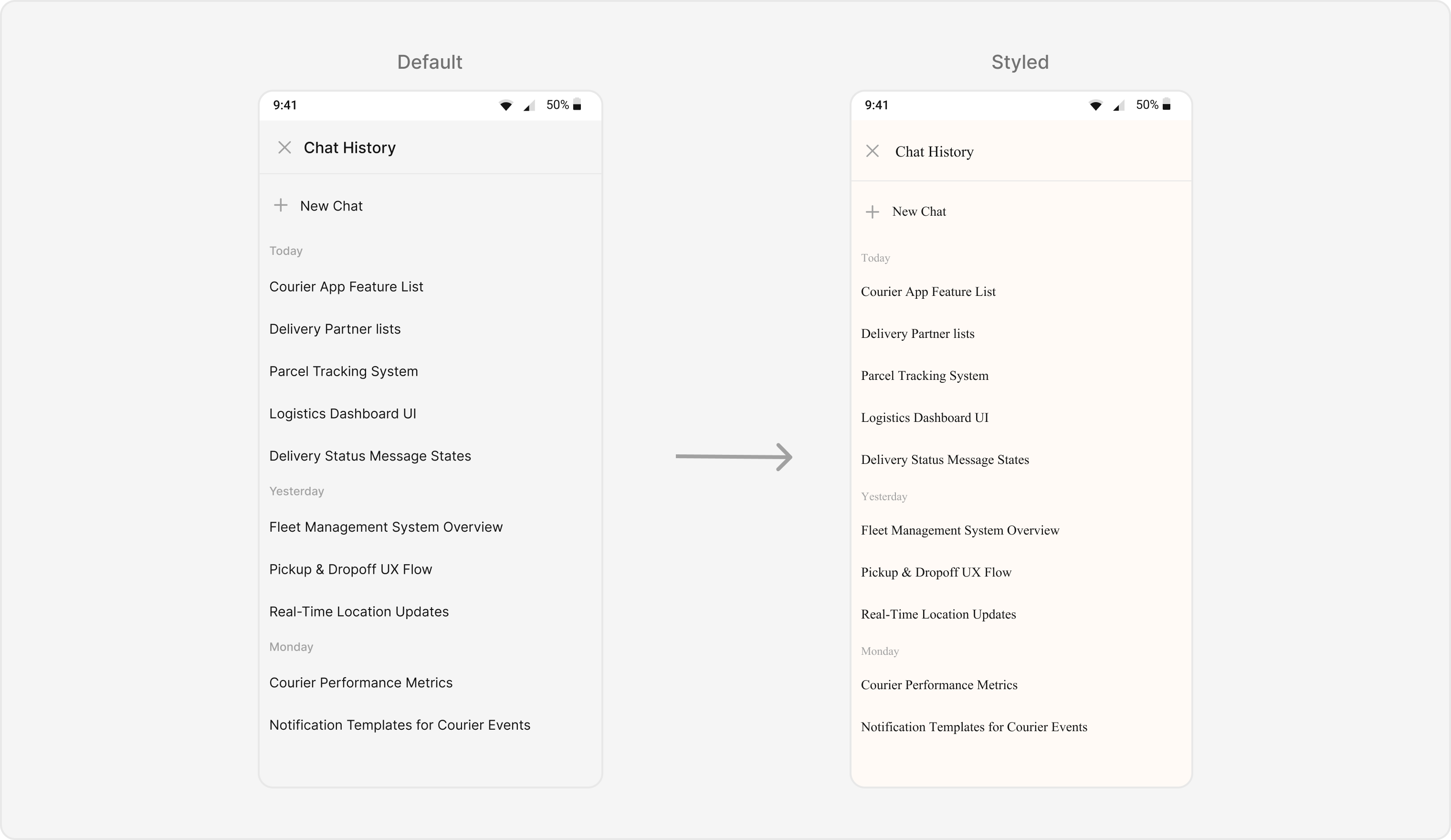
The style property allows you to customize the look and feel of the component in your app. These parameters control key design aspects such as colors, fonts, text styles, and background appearance for various subviews like headers, date separators, and message items1. AiAssistantChatHistoryStyle
You can assign a customAiAssistantChatHistoryStyle to the component to override the default visual theme.
Global level styling
- Swift
- Swift
Functionality
These functional customizations allow you to fine-tune the overall behavior and user experience of the component. With these options, you can modify text, customize icons, and toggle visibility for specific UI elements within theCometChatAIAssistanceChatHistory component.
- swift
CometChatMessageList Properties
Below is a list of customizations along with corresponding code snippets:Advance
For advanced-level customization, you can inject custom views or functions into the component. This allows you to tailor theCometChatAIAssistanceChatHistory experience to align perfectly with your app’s interface and logic.
dateSeparatorPattern
You can modify the format of the date separator displayed between messages using thedateSeparatorPattern property.
This closure accepts a Date object and returns a formatted String.
Example
Here is the complete example for reference:
- swift
loadingStateView
Customize the loading view displayed when messages are being fetched. Use this property to show a spinner, skeleton loader, or a custom loading message for better UX. Use Cases:- Show a spinner or skeleton loader for smooth UX.
- Display a “Fetching history…” text.
- swift
emptyStateView
Customize the view displayed when there are no messages in the chat history.This is typically used to show a friendly placeholder or an illustration.. Use Cases:
- Display “No chat history yet” text.
- Add a button prompting users to start a new chat.
- swift
errorStateView
You can define a custom view to display when an error occurs during message loading. This could include a retry button or a helpful error message for better recovery.. Use Cases:- Show a retry option on network failure.
- Display “Unable to load messages. Check your connection.”.
- swift